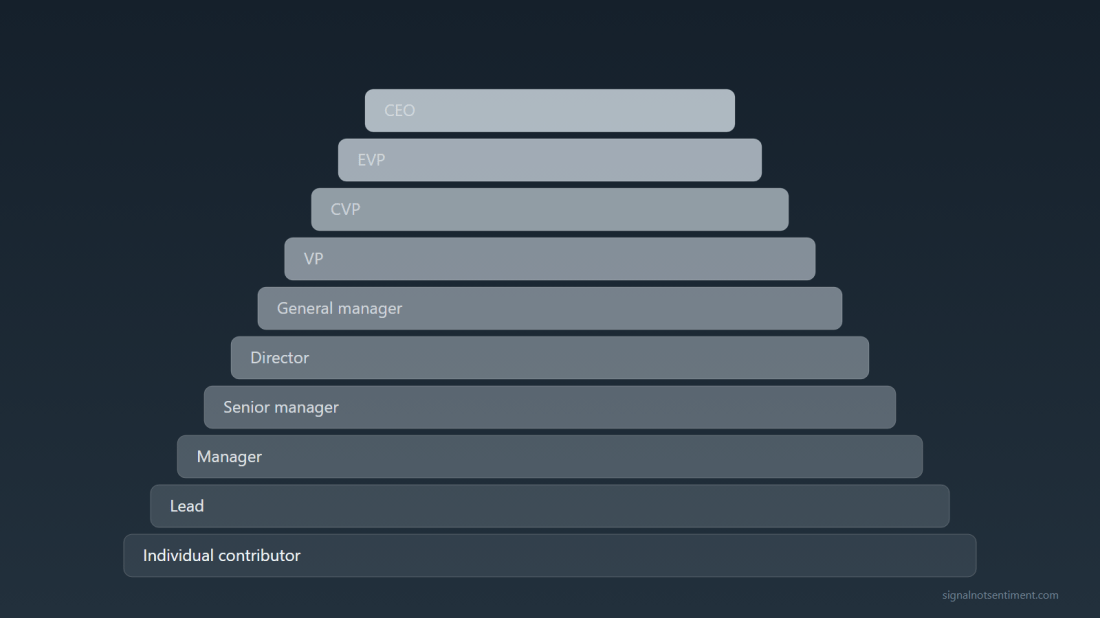
Throughout my career I have tried to stay closely connected to the actual work happening in my organization. As I moved up through management, that got harder every year. There were more layers between me and the work, more people whose job was to summarize it for me, and less time to go look for myself. And yet the most insight, and the best context, always came from the same place: talking directly with the people doing the work.
Over time that became a core principle of how I ran my business reviews. Every metric on the page had to come with a concrete customer example of why the number was what it was. Not a trend line and a color. A customer, a name, and what actually happened. If the team could not produce one, I did not trust the number, and usually neither did they.
It took me years to learn that this experience has a name. Political scientists call it the dictator’s dilemma: the more power a ruler holds, the more afraid people are to tell him anything unwelcome, so the more powerful he gets, the less he knows about whether his strategy and leadership are actually working. I am borrowing the term, not the politics. The mechanism is the point, and the mechanism is alive in every large organization.
AI helps crush it. It can give an executive a direct feed on the truth, if they let it.
The executive’s version
Here is the executive version of the dilemma. The more successful you get, the less connected you are to the things that made you successful. Every layer between you and the work is a filter, and the filters are mostly well-meaning: summarize it, soften it, do not waste time with the details, do not bring a problem without a solution. Each one is reasonable. Stacked ten deep, they deliver information that is late, smoothed, and shaped like what each layer believes you want to hear. I wrote recently about how people learn what a leader actually rewards. This is the other half: once they have learned it, that is what comes back to you.
Walk down the org chart
The best leaders I worked with at Microsoft had a fix, and it was not subtle. They walked down the org chart.
Bob Davis, a corporate vice president I worked for, kept a watch list of customers. Bob did not ask his direct report for a readout on those customers, he walked down the hall to the individual contributor who had the relationship with that customer and asked them directly. Rajesh Jha did the same thing. He would go to the individual working the problem because he knew that was where the unfiltered answer lived.
It worked, and it was rare, for three reasons. It is expensive: you have to know who is doing the work, which most executives do not. It is uncomfortable: it unnerves every layer in between. And it does not scale: Bob couldn’t do this for thousands of customers.
Dashboards for everybody
I ran my organizations on a version of the same idea, from the other direction. The dashboards were for everybody. The whole organization could see the same numbers I saw, and every metric or customer on the dashboard had a name next to it. No executive summary, no deck prepared by middle management for the leadership review. And then the business-review rule: every number on that page comes with a customer example.
The dashboard did one job: it told me where to go. Then I did what Bob did. I found the person working that customer, that problem, that issue, that project, that feature, and had the conversation. The data pointed; the conversation told me what was true. You need both halves, and most organizations have neither, because the data is locked in systems only analysts read and the conversation is blocked by the org chart.
What AI changes
This is where the last two years have been genuinely different, and it is the heart of the work I do now.
AI connects the data and insights an organization already has, sitting in a dozen systems that have never talked to each other, directly into reports and dashboards an executive can actually read. It does it fast: the question that used to take a week of analyst time comes back in real time. It does it consistently, so there is one version of the number instead of one per layer. It finds the connections across systems that nobody was paid to look for. And it tells you who is working the thing, so that when you want to walk down the org chart, you know exactly which desk to walk to.
The result is that an executive sees the true activity and progress in the organization, not a status report about it. Decisions get made on what is happening instead of on what three layers of well-meaning people decided to pass along.
I am not the only one saying this. Patrick O’Shaughnessy put the dictator’s dilemma to David Vélez, the founder of Nubank, on a recent episode of Invest Like the Best. Vélez did not argue. Every layer of management, he said, is a chance for a message to get distorted. So Nubank cut from about ten layers to five, his own span of control went from one direct report to twenty, and AI-based systems now watch operations and send him real-time information. Leaders at Nubank can go straight to whoever is doing the work. That is a 140-million-customer bank describing the same fix.
AI did not remove the layers. It removed the layers’ monopoly on information.
If they let it
Let’s be honest about the limit: it works if they let it. A dashboard is not a conversation. AI makes the walk down the org chart fast, cheap, and well-aimed; it does not make it unnecessary. And none of it works for a leader who does not actually want the unwelcome number. The dictator in the original dilemma has less of an “information access” problem and more of an “appetite for truth” problem. The tools fix the first. Only the leader fixes the second.
But for the executive who wants to know, the dilemma is gone. The layers are still there. They just no longer get to decide what you see.
This is the work
This is what JLJ Consulting Group does. We wire the data an organization already has into dashboards the whole company can read, build a reporting rhythm that keeps running after we leave, and coach the executive on using it: where to look, when to walk down the chart, and who to ask. If you are a leader who suspects the picture reaching you has been smoothed on the way up, let’s talk. If you feel like you are waiting too long for insightful data, let’s talk. If you feel like you are steering the ship with large corrections instead of small, frequent ones, let’s talk.

