Step 5: The Day Anxiety Became Curiosity

📍 Part 5 of 8 · Becoming Agent-Native
An 8-part series on going from delivery team to agent-native organization — lessons earned, not borrowed.
Genesis · Anxiety · Names Matter · Proof of Value · → The Pivot · Co-Creation · The Garage · The Flywheel


There isn’t a single moment. It’s more like a temperature change.

Gradual. And then all at once. Exactly like Hemingway described bankruptcy.

The signal: someone stops asking “is this going to replace me?” and starts asking “what else could they do for me?”

That question – unsolicited, forward-looking, a little excited – is the pivot. And everything after it is different.


What caused it.

Not a single thing. An accumulation.

The email draft that was perfect. The research that came back before they’d finished their coffee. The weekly summary that was just there without anyone asking for it.

When those moments pile up, the mental model flips. The agent stops being a threat and starts being an asset.

And once it’s an asset, a very natural question follows: how do I get a better one?

That question is the whole game. Because it means your delivery team has become an active participant in the quality of their own AI teammates. They want them to improve. They have opinions about how. They’re invested.


The frame that accelerated it.

Our team always has more work than capacity. There are always more customers to serve, more research to run, more value we haven’t gotten to yet.

We are not, and have never been, trying to reduce headcount.

What we’re trying to do is amplify the headcount we have. Get more high-value work. Free people from the repetitive work that agents handle better anyway. Work on the hard stuff. Grow your career.

It’s like the tractor replacing the hand plow. You didn’t lose the farm. The farm got bigger.

When people understood that frame, agents as multipliers, the math became obvious. More impact, same team, better work.

That’s not a threat. That’s a competitive advantage for every person on the team.


What the pivot looked like in practice.

Feedback volume jumped. People who had never commented on an agent suddenly had opinions. Feature requests started flowing. Someone said “could Reese do this if we gave him this additional context?” and “I think George would be even better if he also pulled from this system.”

That’s not tool usage. That’s coaching. And you can’t coach something you’re afraid of.

When you see this shift starting, lean in fast. Turn that spark into a fire. Prioritize the feature requests that come from delivery. Make it visible that their input is landing in the roadmap. Create the fastest possible feedback loop.

The pivot is fragile at first. Feed it.

The moment your team starts coaching their agents instead of tolerating them, the phase change is real.

*Next: What happens when delivery stops requesting agents and starts building them.

Step 4: The Agent Dashboard

📍 Part 4 of 8 · Becoming Agent-Native

An 8-part series on going from delivery team to agent-native organization – lessons earned, not borrowed.
Genesis · Anxiety · Names Matter · → Proof of Value · The Pivot · Co-Creation · The Garage · The Flywheel

Early in Phase 2, before we knew if people would even use these agents, we built a usage dashboard and a small component that every agent had to include – Power Automate, Copilot Studio, M365 Copilot – it was table stakes to onboard.

It felt a bit like overhead at the time.

It became the foundation of everything.

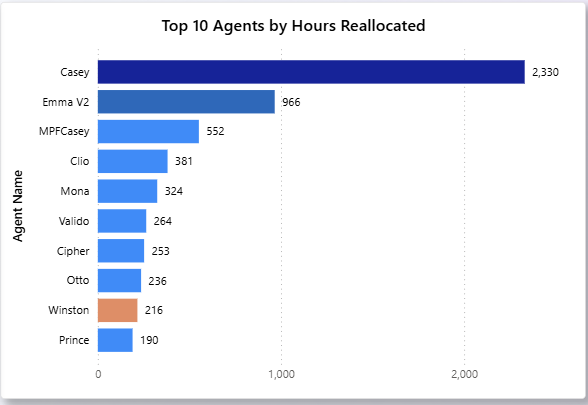
What the dashboard tracked: which agents were being used, how often, by whom, and with what outcome.

Simple. But surprisingly revealing.

Some agents were hits. Usage climbed. Feedback was positive. The team became genuinely dependent on them. These got investment: more features, deeper integration, wider rollout.

Some were mediocre. Usage below expectation but not zero. The dashboard made us ask the right question: is the agent underperforming, or is there an onboarding gap? Is there a better design? Those are different problems. You can’t diagnose without the data.

Some just didn’t work out. And the dashboard gave us permission to retire them. No politics, no ego, just “the numbers say this isn’t earning its place.”


The data showed us insight about people, not just agents.

We saw a clear split emerge: pro users and skeptics.

Some team members were all in. They used agents daily, sending feedback all the time, acting like internal product managers for the agents they’d adopted. Others were lukewarm.

That visibility mattered. It let us find the right internal champions. It let us understand the gap between those two groups. It let us have a business conversation, with real numbers, about what was working.

ROI reporting doesn’t only justify the investment. It shows your team you’re taking this seriously. And them.


But the most important proof never showed up in the dashboard.

It was the moments.

The team member who realized they hadn’t manually changed that case status in weeks. Not because they forgot, but because Theo handled it.

The person who got their Friday afternoon back because George was doing the weekly summary.

The quiet relief of: oh, that’s just handled now.

When those moments accumulate, something shifts. The agent stops being an experiment and starts being infrastructure. The dashboard tracks the what. The moments explain why it matters.


If I were advising someone starting this today, I’d say: Build the measurement layer early, at the business group level, not deep in IT.

Once you have 10 agents and a skeptic asking “what’s the ROI on all this?” you’ll be very glad you have an answer.

“Measure early. The dashboard will make decisions for you that would otherwise become arguments.”

Next: The inflection point, when the team stopped worrying about agents and started wanting more of them.

Part 3: Words Matter, This Is Not a Branding Exercise

📍 Part 3 of 8 · Becoming Agent-Native

An 8-part series on going from delivery team to agent-native organization – lessons earned, not borrowed.
Genesis · Anxiety · → Names Matter · Proof of Value · The Pivot · Co-Creation · The Garage · The Flywheel


I wrote about this in August Agents: Names Matter and it was the right instinct. Now, on the other side of the full journey, I understand why it worked even better than I thought at the time.


Reese. Casey. Nabha. Elliot. Gibbs. Mona. George. Winston. Axel. Lily.

These aren’t product names. They’re teammates.

That distinction (which can sound like fluff the first time you hear it) turned out to be one of the most operationally significant decisions we made.


Here’s the simple version of why it works.

When something is a tool, your relationship to it is passive. You use it or you don’t. You don’t give a shovel feedback. You don’t coach a dashboard. Tools sit in a drawer until someone reaches for them.

With a teammate, your relationship is active.

You onboard them. You give them context. You tell them when they’re missing the mark. You notice when they improve. You advocate for them when someone else doesn’t understand what they do.

When your team has a stake in an agent’s success, they do something invaluable: they give feedback. Quality feedback. The kind that makes agents genuinely better.

We did regular performance reviews with our agents. More frequent right after onboarding or a new capability release (just like a new hire or after a promotion), less frequent as they found their footing. Same discipline as the rest of the team.


George is the clearest example.

Before George, Friday afternoon meant pulling together the week’s work, surfacing the key insights, formatting it, and getting it to the right people. Valuable. Tedious. The first thing that got cut when Friday got busy.

George does it automatically. He looks across everything you have produced, finds the biggest insights, and delivers them without anyone asking.

But here’s what made George good: feedback. Lots of it. Specific feedback from people who saw George as a teammate they were invested in making better.

That feedback loop exists in part because of the naming. Because of the personification. Because of the decision to onboard rather than launch.


There’s a governance benefit too, which we didn’t anticipate.

Naming forces clarity. When Mona graduated from a personal helper to a team-level role, we treated it like a promotion. Clarified scope. Assigned an owner. Eliminated overlap with other agents who’d been doing adjacent things.

Without that discipline, you get what I’ll describe in Part 6: seven agents doing roughly the same thing, disjoint responsibility, things slowly breaking.

Personas force you to think like an org designer, not just a builder. And be very clear, you are building an org.


The question your team will stop asking once agents have names:

“Do we need this?”

The question they’ll start asking:

“How do we help them thrive?”

That’s a completely different organization.

Giving your agents personas isn’t just adoption strategy. It’s how you build a team that includes humans and agents and actually functions like one.

Next: How we knew any of this was working — and what happened when we looked at the data.

Part 2: The Thing Nobody Warns You About

Part 2 of 8 · Becoming Agent-Native

An 8-part series on going from delivery team to agent-native organization — lessons earned, not borrowed.
Genesis · → Anxiety · Names Matter · Proof of Value · The Pivot · Co-Creation · The Garage · The Flywheel


Most AI transformation stories skip Phase 2.

They go from “we built some agents” straight to “adoption soared and everyone loved it.”

That’s not what happened for us.

When we introduced the first agents to the delivery team, the reaction wasn’t excitement. It wasn’t curiosity.

It was anxiety. Real anxiety. The kind that doesn’t announce itself clearly. It comes out as skepticism, low usage, polite questions with an edge underneath them.

The edge was: is this going to replace me?

Nobody said it that way. But it was in the room.

There was a second layer too. A small squad had gone off and built things, and now those things were showing up in workflows that had been their workflows. It kind of felt like change being done to them.

“I feel like I’m on the outside looking in at my own job being replaced.”

That’s not a technology problem. That’s a trust problem. Technology solutions don’t fix trust problems.


We made two structural choices. Both matter.

The first choice: we doubled down on agents being teammates, not tools; we gave them all personas and personalities.

This sounds like semantics. It isn’t.

A tool is something you use, or don’t. It sits there. It doesn’t get better. It doesn’t respond to coaching. It doesn’t care if it’s valuable or not.

A teammate is different. A teammate can be given feedback that actually changes how they work. You can advocate for them. You can push for them to be more capable. You have a stake in whether they succeed.

When people have a stake in something, they engage with it differently.

The second choice: every agent got a name.

Reese. Casey. Theo. Mona. George.

Not product names. Not “AI Assistant v2.3.” Real names, each one tied to the function, each one introduced the way you’d introduce a new hire; with context, with expectations, with a clear path to give feedback.

More on this in the next post, but the short version: named agents get coached. Unnamed tools stay static and get ignored. When was the last time your garden rake got an upgrade?


The anxiety didn’t disappear overnight. But it had somewhere to go.

The question shifted from “is this replacing me?” to “how do I best work with this?”

That’s the crack in the door. That’s what Phase 3 is about.

You can build the best agent in the world. If your team doesn’t trust it, you’ve built nothing of value.

Next: Why naming your agents isn’t branding; it’s adoption strategy.

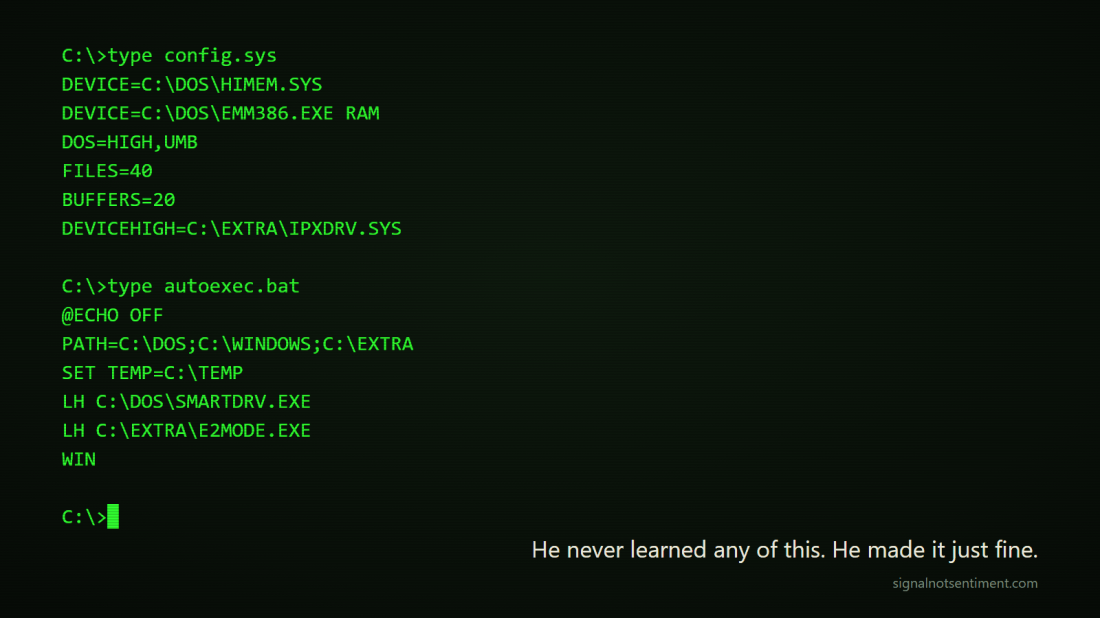
Remember the TCP/IP Stack Wars?

Same Frenzy, New Plumbing

In the early 1990s, “networking” on a PC was a jigsaw puzzle. You didn’t have TCP/IP. You assembled TCP/IP:

  • The right stack
  • The right network card
  • The right driver
  • The right OS version
  • The right configuration (that you’d only discover was wrong at 2am)

If you’re too young to remember this, imagine that the new thing for your work PC was to connect others send messages…but email only worked inside your company, and was not connected to the internet. You carried a briefcase full of papers home if you needed to work on something after hours. You probably didn’t have a mobile phone, and if you did it was mounted in your car – and only made voice calls.

I worked in customer support at a company that lived at the intersection of hardware, software, and networking. Our application ran across multiple protocols, so we didn’t just watch customers struggle—we helped them fight the puzzle: stack + driver + NIC + OS + application. It wasn’t just technical complexity. It was market immaturity.

This is the LLM market today.


Act I: Monetize the Mess

Inside the company I worked for, leadership was on a path to buy a TCP/IP stack to provide a consistent foundation for our applications.

The absurd part: application teams had to make functionality decisions based on disparate network stacks. Test teams had to test them all. Users had to understand them to get them to work. Then someone kicked the cable out of the adapter under their desk and the whole network went down.

Have you tried Hummingbird and Chameleon on both EtherLink and NE2000? What about when the network has both BNC and 10-BaseT connectors?

Networking vendors made tons of money in the confusion…and the switching costs…and the new versions. I believed the stack (and maybe the network cards) were heading toward commodity status. Essential, but not differentiating. I argued against buying or building a stack.


Act II: Standardize It (the Part Everyone Forgets)

TCP/IP didn’t win because one vendor’s stack was the best. Ethernet was technically deficient to Token Ring. But they both won because they became the standard—and standards create gravity. Once the interfaces stabilized, the application didn’t care whose stack you bought.

That’s the key idea: the application shouldn’t care. The user shouldn’t care. Maybe the IT department cares for a while, but eventually just procurement cares.


Act III: Forget It’s There

Once TCP/IP became “default” and the interfaces stabilized, the market stopped paying premiums for stacks.

Networking wasn’t eliminated. Thinking about networking was eliminated. Who knows which network adapter is in their new laptop today? Can you imagine buying a laptop without connectivity? It’s unthinkable.

History continues to prove the pattern:

Monetize → Standardize → Forget


The LLM World Is in Its “Stack Wars” Era

Today’s LLM discourse sounds like the early 90s networking discourse—just with better fonts and worse certainty:

  • Which model for which task?
  • Which provider is “best”?
  • Should we build our own?
  • How do we avoid lock-in?

It’s the same jigsaw puzzle, modernized:

model + prompt style + tooling + memory + safety + cost + latency

And it produces the same executive temptation:

“Let’s build the stack so we control our destiny. Everyone is doing it; we don’t want to be left behind!”

The value today, in the complexity phase, is the model. The value in the future is the thing that uses those models.


Segmentation: Specialized Providers vs Specialized “Application-Layer Engines”

Yes—there are real segments emerging: coding, personal info management, health, and more.

But the more important question is where specialization will live:

Path A: Specialized model providers dominate each segment

“Best model for coding.” “Best model for health.” “Best model for XYZ.”

Path B: Commodity base models + specialized implementations on top

Fine-tunes, adapters, retrieval, tool-use, memory, evals—packaged as product capabilities. In applications.

Path B is the historical match.

The winning move is applications standardize how they connect to intelligence, and the model selection becomes invisible plumbing.

That’s the interoperability point—and it’s where network effects quietly return.


Network Effects: TCP/IP Interoperated with Networks. LLMs Interoperate with Tools.

TCP/IP’s network effect was obvious: the value came from being able to talk to other networks.

LLMs don’t inherently need to “talk” to other LLMs. They compete on capability.

So where’s the network effect?

It moves up one layer.

That’s why protocols like Model Context Protocol (MCP) matter: they standardize how AI systems connect so developers don’t rebuild bespoke, model specific integrations.

Once connectivity is ubiquitous, the LLMs start to disappear.

Phase 1: Value = Plumbing
(TCP/IP stacks | LLM providers)

Phase 2: Value = Interfaces
(Winsock | MCP)

Phase 3: Value = Outcomes
(Connectivity | Apps & Agents)

The Pattern Is Undefeated

Every platform shift starts the same way:

  • We monetize the complexity.
  • Then we standardize the plumbing.
  • Then we forget it was ever hard.

TCP/IP stacks were once a market category. Now they’re invisible.

LLMs are in their stack-wars era.

The winners won’t be the companies with the prettiest model demo…or even the best model. They’ll be the ones who make magical apps and let you forget the model exists.

Agents: Names Matter

This post is part of an ongoing series about what we’ve learned from augmenting our team with agents. This series shares hard-won lessons from integrating agents into our team. It’s not theory—it’s transformation, in motion.

AI agents struggle to succeed when you treat them like tools. We know this because we’ve been down this path, and 82% of enterprise led agentic projects are shelved after 12 months. “FastTrack Tool #17” won’t spark enthusiasm and drive usage. But Reese and Casey? They changed the conversation.

Here’s what we’ve learned by doing the work:

1. Personas Build Teammates

When we first started talking about agents, the most common reaction wasn’t excitement—there was an undercurrent of fear and anxiety. People worried they’d be replaced.

But after we introduced Casey as a teammate, things shifted. The conversation became: “How can we help Casey succeed and do more for us?” That reframing worked because Casey felt like a person, a part of the team—not a bot.

2. Onboarding, Not Launching

We learned quickly that you don’t launch a teammate—you onboard them.

For us, that meant treating agents with the same discipline as new hires: communication plans, awareness sessions, training, and buddy systems. Adoption improves the moment you stop thinking “tool release” and start thinking “new colleague.” 

We do regular reviews with our agents’ performance, just like we do with the rest of the team – more frequent right after onboarding (or iterations of new capabilities, just like promotions).  Less frequent as our agents get more experience.

3. Scaling Agents Comes with Responsibility

At first, agents were treated casually—something that was just a test, that could be turned on or off at will. That didn’t work.

Now, our agents are roles on the org chart. Adding or retiring an agent requires a process, because their work has real dependencies. One person’s frustration shouldn’t lead to Winston being deleted on a Friday afternoon any more than it should lead to a human being walked out the door.  We need to put the same thought, coaching, iteration, and decision process into all of our teammates; human or not.

4. Personas Force Clarity

Our early experiments taught us that tool development drifts—overlap, redundancy, and confusion creep in. But personifying agents forces sharper thinking.

When Mona “graduated” from a personal helper to a team-level role, we treated it like a promotion. We clarified scope, aligned expectations, set up an owner (manager), and eliminated overlap. Without that discipline, grassroots innovation can quickly tip into chaos (more on this in a future post).

The Big Lesson

This isn’t theory. This is earned wisdom that we’ve learned by doing.

Giving your agents personas isn’t just branding—it’s adoption strategy, trust-building, team culture, and organizational clarity.

Because when an agent stops being Tool #17 and starts being Theo, your team doesn’t ask “Do we need this?” anymore. They ask “How do we help them thrive?”

The Compound Interest of Productivity

AI Agents Are the New Leverage

Productivity tools have long promised to make work easier.
Most deliver accumulation—you stack features, shortcuts, and automations, each adding a marginal gain.

Helpful? Sure.
Transformational? Not really.

But what if, instead of stacking, we could compound?

That’s what AI agents offer

From Tasks to Systems

Start with the small stuff:

  • An agent that filters email.
  • Another that summarizes meetings.
  • A third that drafts follow-ups.

Alone? Nice-to-haves.
Together? They form a system.

The output of one becomes the input of the next. A peloton, not a solo rider. And once that loop forms, you’ve crossed a threshold—from isolated tasks to an adaptive system that gets smarter with each pass. This isn’t just automation—it’s orchestration.

Agents don’t just execute. They learn. They adapt. They cooperate.

Each one adds leverage. Each one amplifies the others.

You’re not saving time. you’re building momentum.

The more agents you connect, the more capable the system becomes.
You go from incremental gains to exponential lift.

Accumulation vs Compounding

We started with a handful of lightweight agents. One evaluated incoming requests and scored them. One updated case notes and status. One checked case hygiene. Another populated task lists and project plans.

Individually? Fine. Connected? Something else entirely.

Work got faster. Work scaled to more customers. Work got smarter.

The system started making decisions:

  • with better quality
  • with greater outcomes
  • across more customers

We’re crossing a threshold in how we work. Productivity isn’t about brute force anymore—
It’s about systems that interoperate and learn.

Agents are the first technology that mirrors how nature builds: organically, iteratively, through networks that adapt and strengthen over time. Each agent you create doesn’t just add function—it adds force.

Future-proof your productivity, start building small agents today.
Connect them.
Let them learn.
Let them compound.

The AI Revolution is here – and it is the savior

I saw some of the fallout of the interview with Dario Amodie yesterday and one of his key attention grabbers was:

“unemployment will spike to 20% in the near future”

On my team, we’re driving hard and fast into onboarding agents (more on that soon), and in doing so, we’re building earned wisdom, not just hypothetical or philosophical views.

His statement made me pause—not because it’s dramatic, but because it’s directionally right and emotionally wrong. There’s a better thought exercise to pursue:

AI won’t just disrupt jobs – it will accelerate the creation of their replacement.

The uncertainty around AI is due to the rate of change—and how fast that rate is itself accelerating.

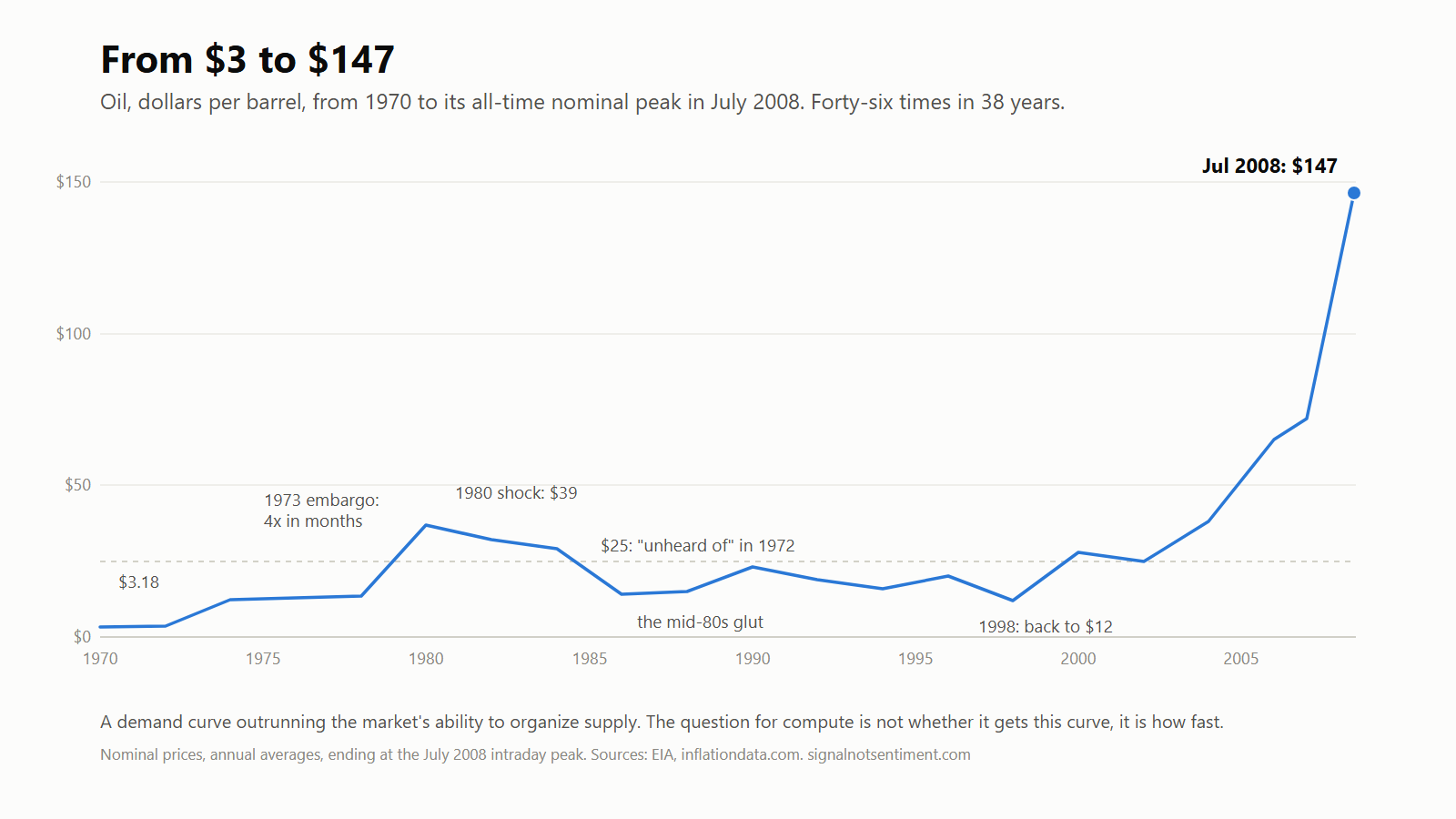
If you consider past paradigm shifts, they all disrupted the existing workforce massively, but slowly:

  • The Mainframe
  • The PC
  • The Internet
  • Mobile
  • The wheel, fire, electricity…

These changes all transformed industries. They put people out of work—but not forever. No one today is training to be a switchboard operator. People adapted.

The fear with AI, especially Agentic AI, is that those changes are happening in days or weeks instead of years or decades. But this isn’t like past tech waves where new roles emerged slowly.

The technology that is disrupting everything is part of everything.

This means that AI will help design, build, and onboard the future of work in real time. It will empower people to adapt faster, create faster, and solve problems from every angle—not just the top down.

This is the key difference that gives me great hope from working in real time with AI ; the disruptor is the savior all in one, and it brings the power to help those that are disrupted.

AI is driving disruption centrally within organizations, but we are adapting in a decentralized way – AI is enabling those that are getting on board to create systems, training, opportunities, and resiliency for the new future.

This is the first decentralized industrial revolution. Don’t miss it

Dante Alighieri Quote: “Wisdom is earned, not given.”